Internet on the terminal
The connection is needed the whole time the apps download and setup runs.

Rahmat POS / Activation
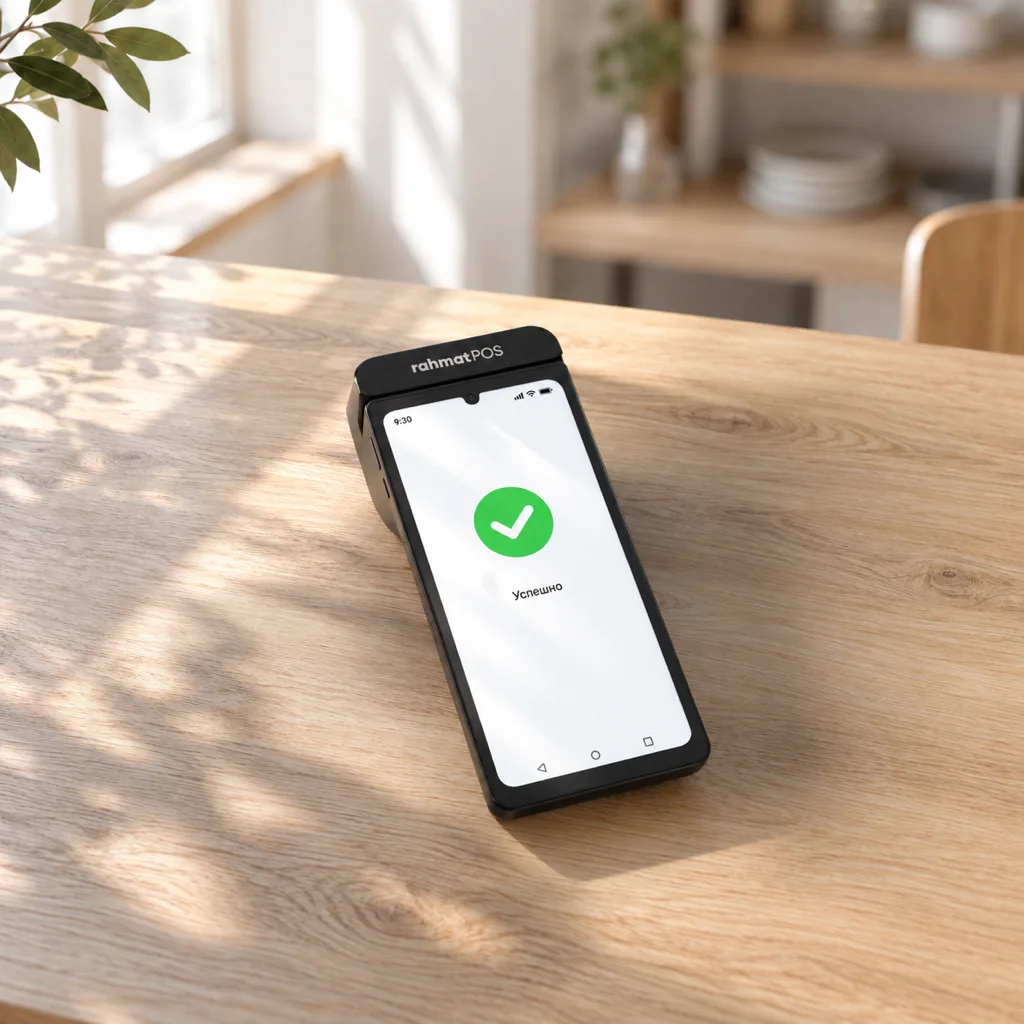
Activation needs no bank visit: the steps on the terminal and in the Telegram bot take about 10 minutes. After an automatic check, the terminal accepts payments.
01 / Preparation
Activation needs internet access, a smartphone with Telegram, the owner’s details and the outlet’s details.
The connection is needed the whole time the apps download and setup runs.
The phone camera scans the QR code on the terminal screen and opens the Telegram bot.
PINFL, phone number and access to MyID or Mobile-ID for identity verification.
Outlet name, type of goods or services, IKPU code and tax regime.
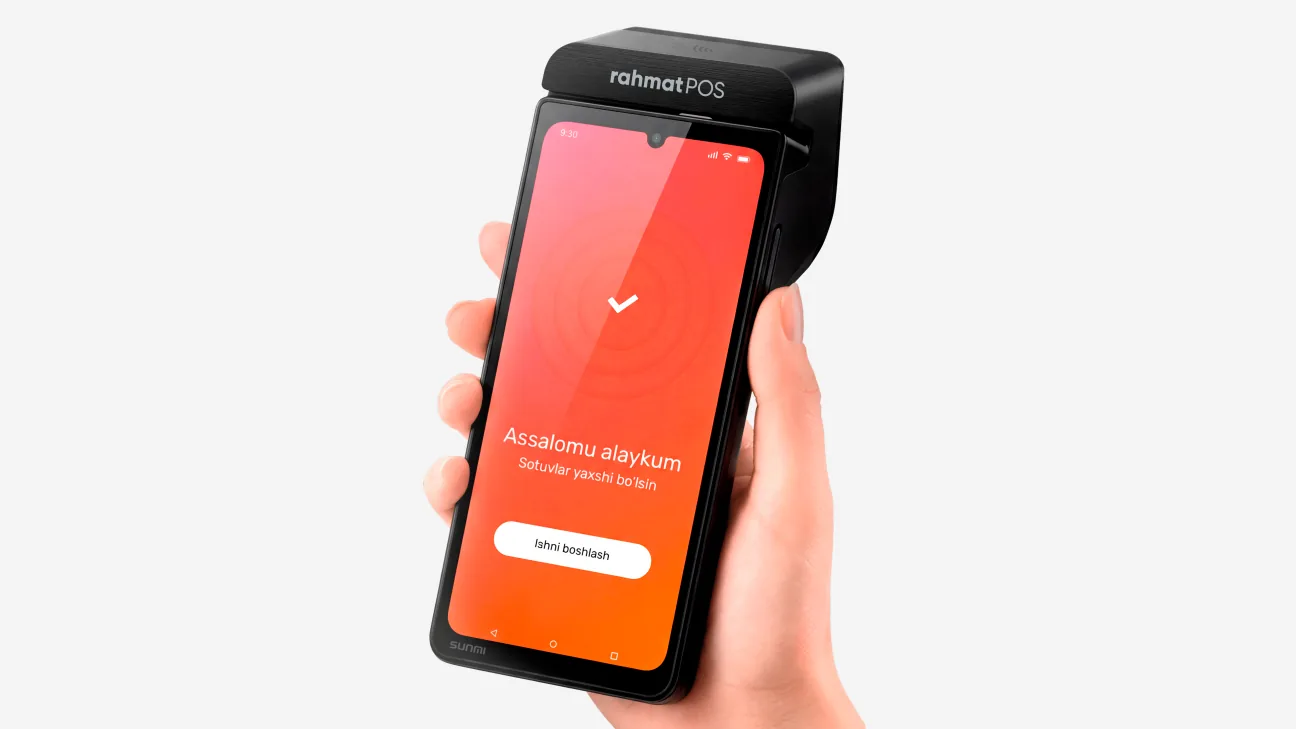
02 / Video guide
The video shows the process from power-on to first launch and runs just over two minutes.
03 / Step by step
Setup and registration, step by step. The action numbers in the text match the numbers on the screenshots.
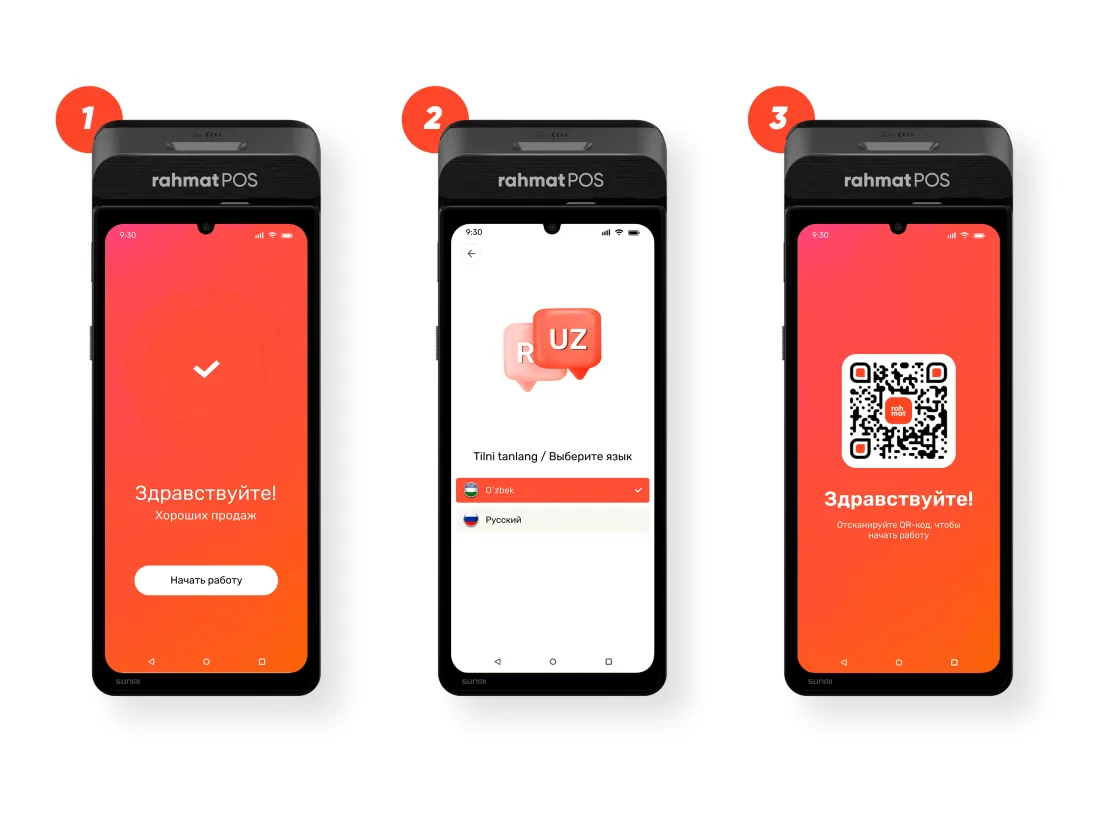
1. Turn on the device.
2. Choose a language, connect to the internet and set the time zone to +5:00 (Tashkent).
3. Wait until the apps load and a QR code appears on the screen. Keep the internet on.
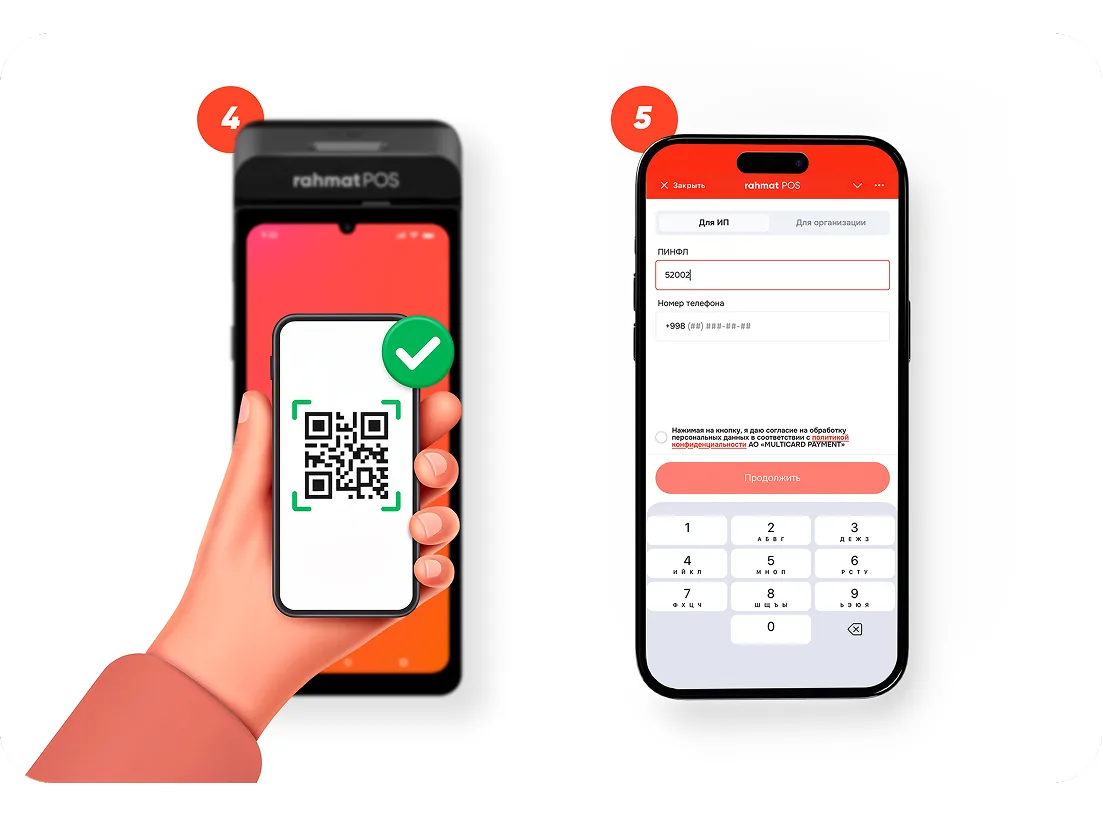
4. Scan the QR code on the terminal screen with a smartphone camera and open the Telegram bot.
5. Choose the business type (sole proprietor or legal entity), then enter the PINFL and phone number.
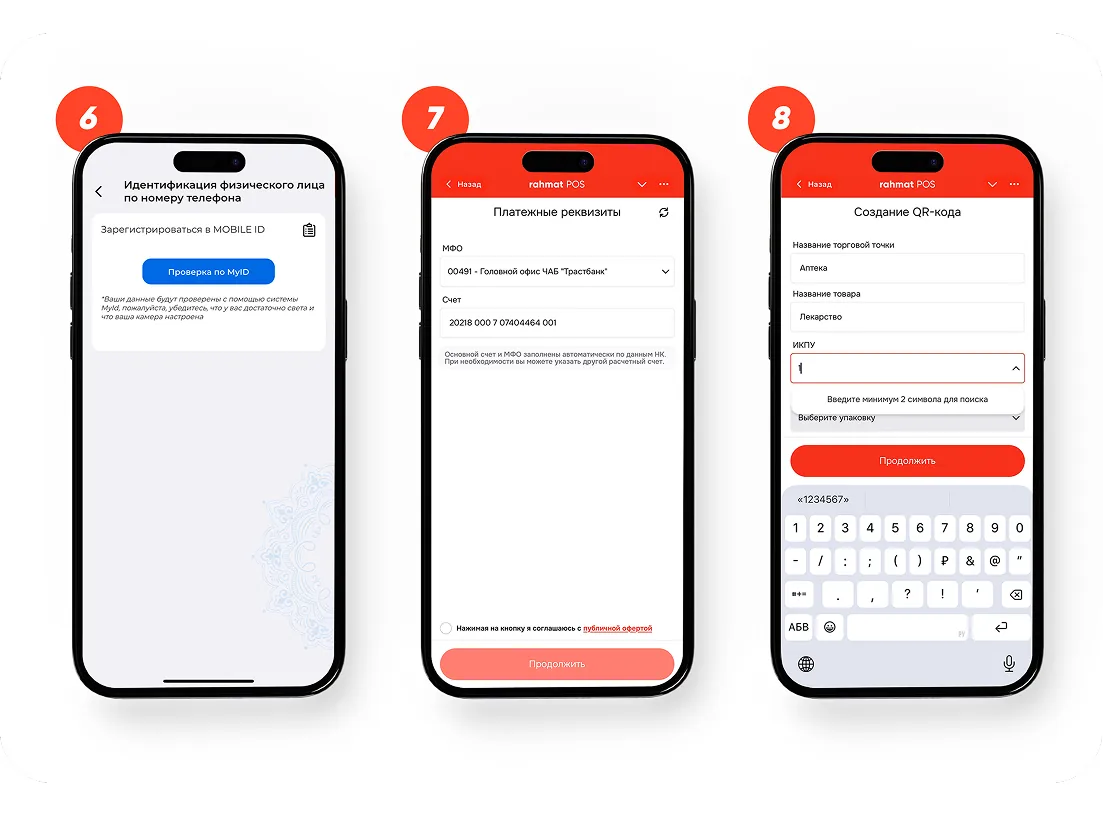
6. Verify identity with MyID (or Mobile-ID) on the phone.
7. Check the settlement account — it loads automatically — and tap “Continue”.
8. Enter the outlet name, type of goods or services, IKPU code and tax regime.
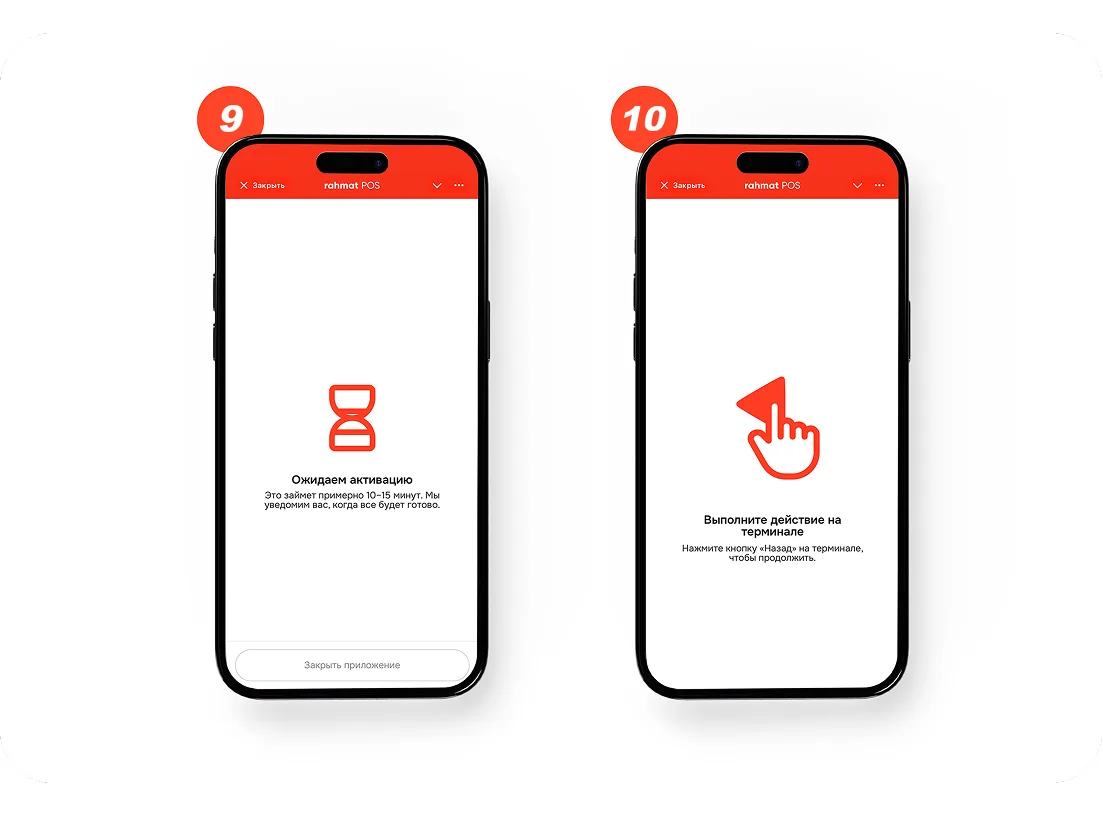
9. Wait for the automatic document check and terminal setup — up to 10–15 minutes. A notification arrives in the bot.
10. For the final launch, press the “Back” button in the bottom-left corner of the terminal.
Rahmat support helps complete activation — on Telegram and at 1865.
04 / Questions and answers
Other questions — on 1865 or in the support chat.
1865 Support chatNo. Activation needs no bank visit: every step happens on the terminal and in the Telegram bot.
The actions on the terminal and in the bot take about 10 minutes. Then come the automatic document check and terminal setup — up to 10–15 minutes. The bot reports when everything is ready.
+5:00 (Tashkent). The time zone is set at first power-on, together with the language choice and internet connection.
Through MyID or Mobile-ID on the phone. The bot offers the check after the PINFL and phone number are entered.
Check the internet connection and wait: the QR code appears after the apps load automatically. If the code does not appear, support helps on 1865 or in the support chat.
A notification arrives in the Telegram bot. After that, pressing “Back” in the bottom-left corner of the terminal completes the final launch.
Buying a terminal
A Rahmat specialist picks a terminal for the outlet. The owner activates it without a bank visit: the steps take about 10 minutes.