Manual sync
Start a sync by hand for products, points of sale, registers, cashiers and other objects.

Integrations / MoySklad
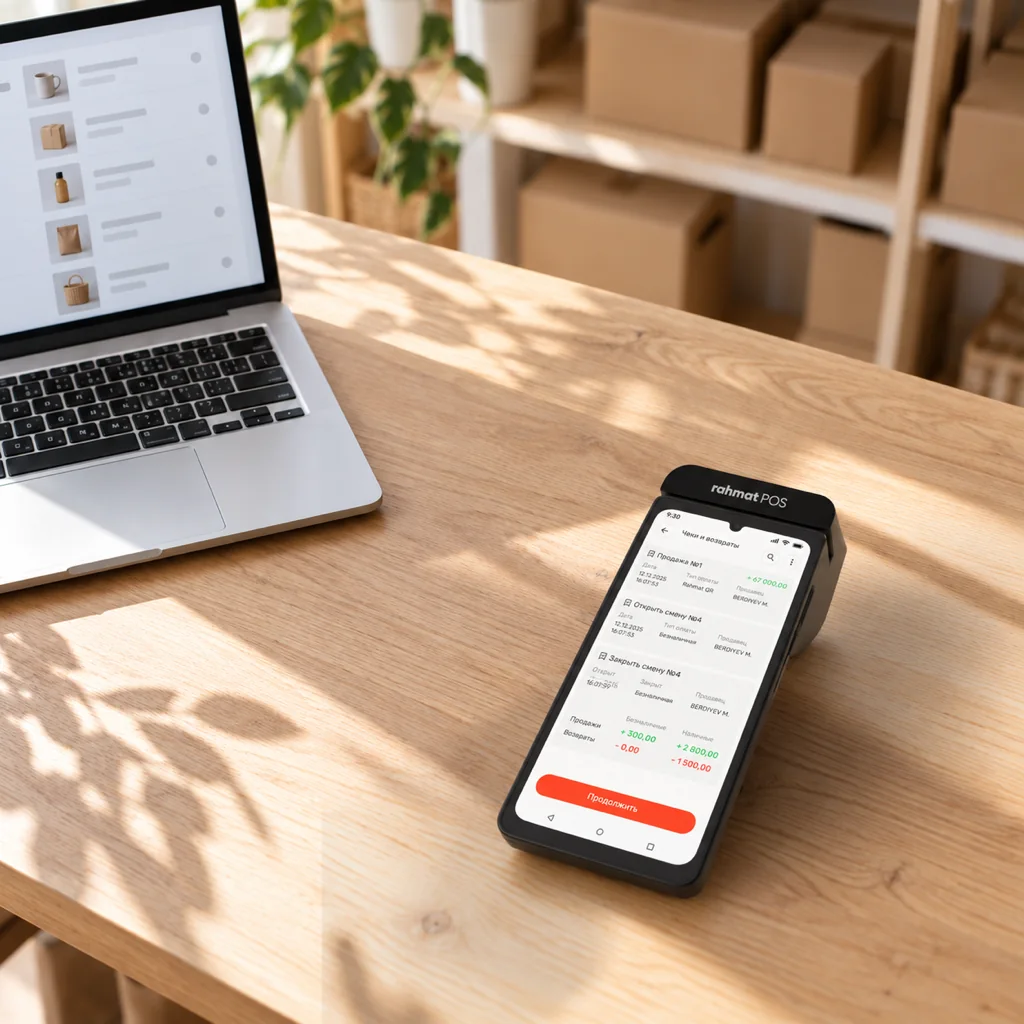
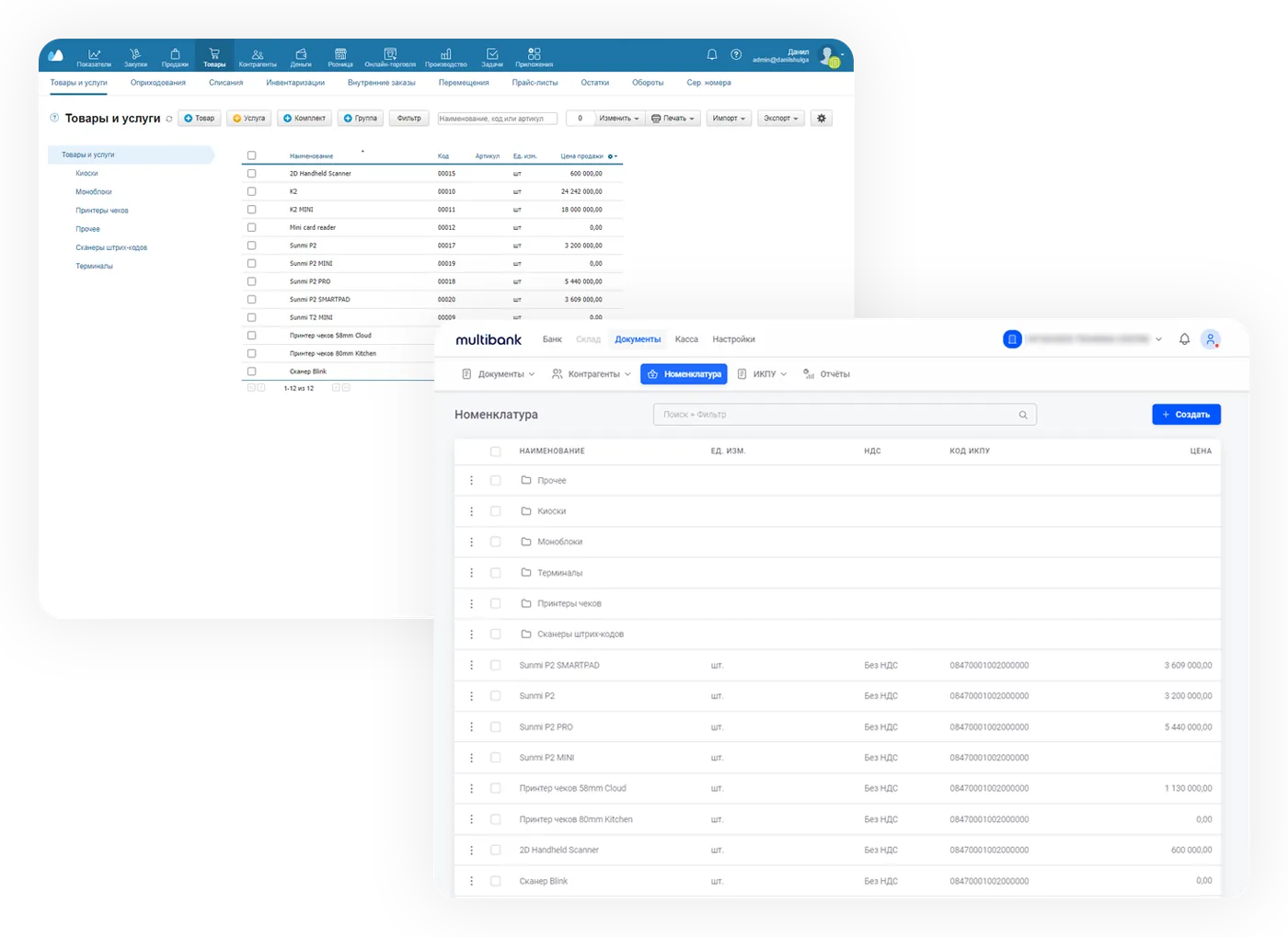
Products, prices and warehouses sync between MoySklad and the Rahmat POS online cash register or virtual register. Fiscal receipts are exported to MoySklad records.
01 / Product catalogue
The MoySklad catalogue syncs with the catalogue of the Virtual register and the Online register. The exchange covers:
02 / Fiscal receipts
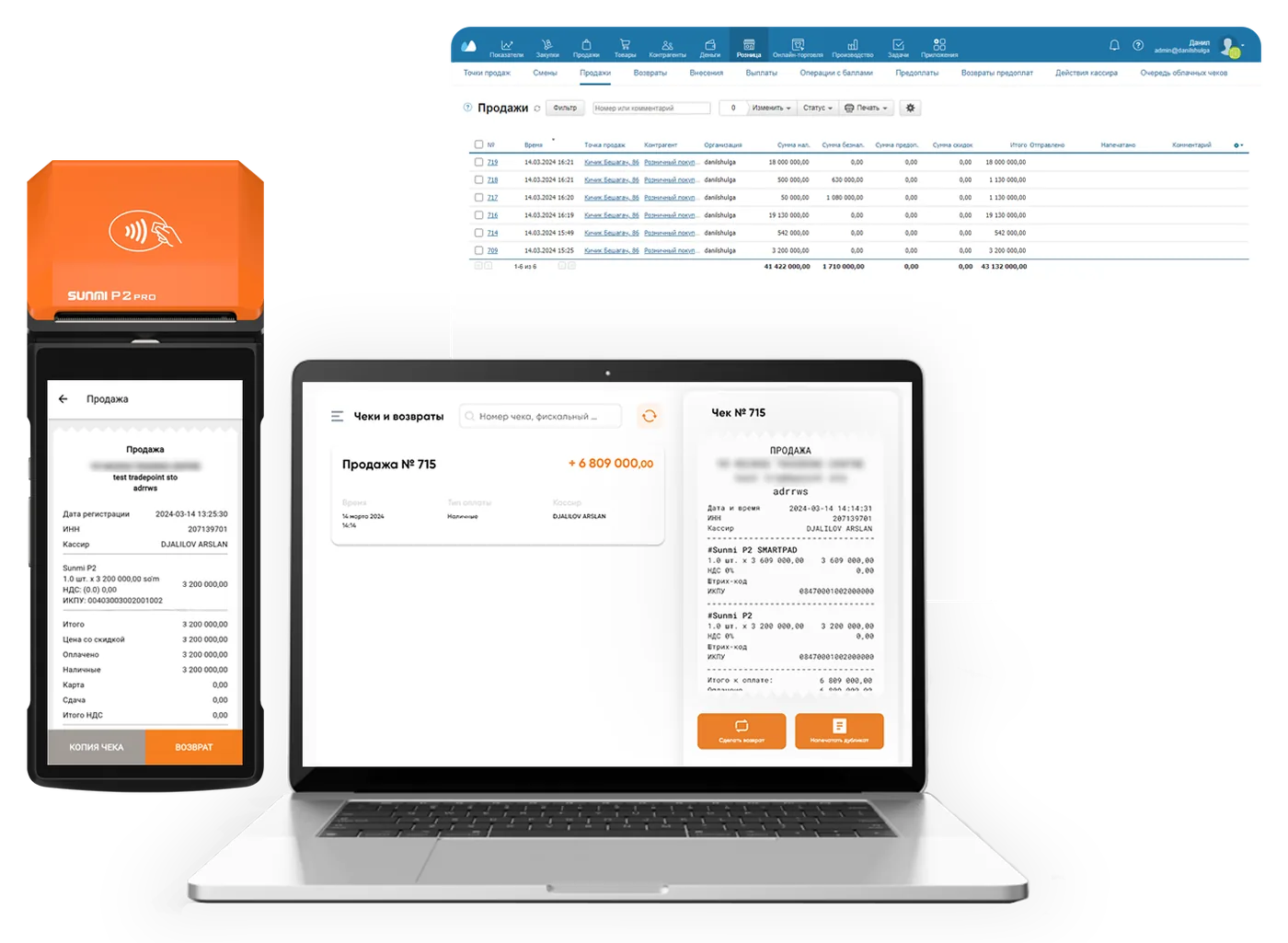
Every fiscal operation made through Rahmat POS registers is exported to MoySklad:
03 / Setup
The integration is connected in the Multibank personal account in a few steps.
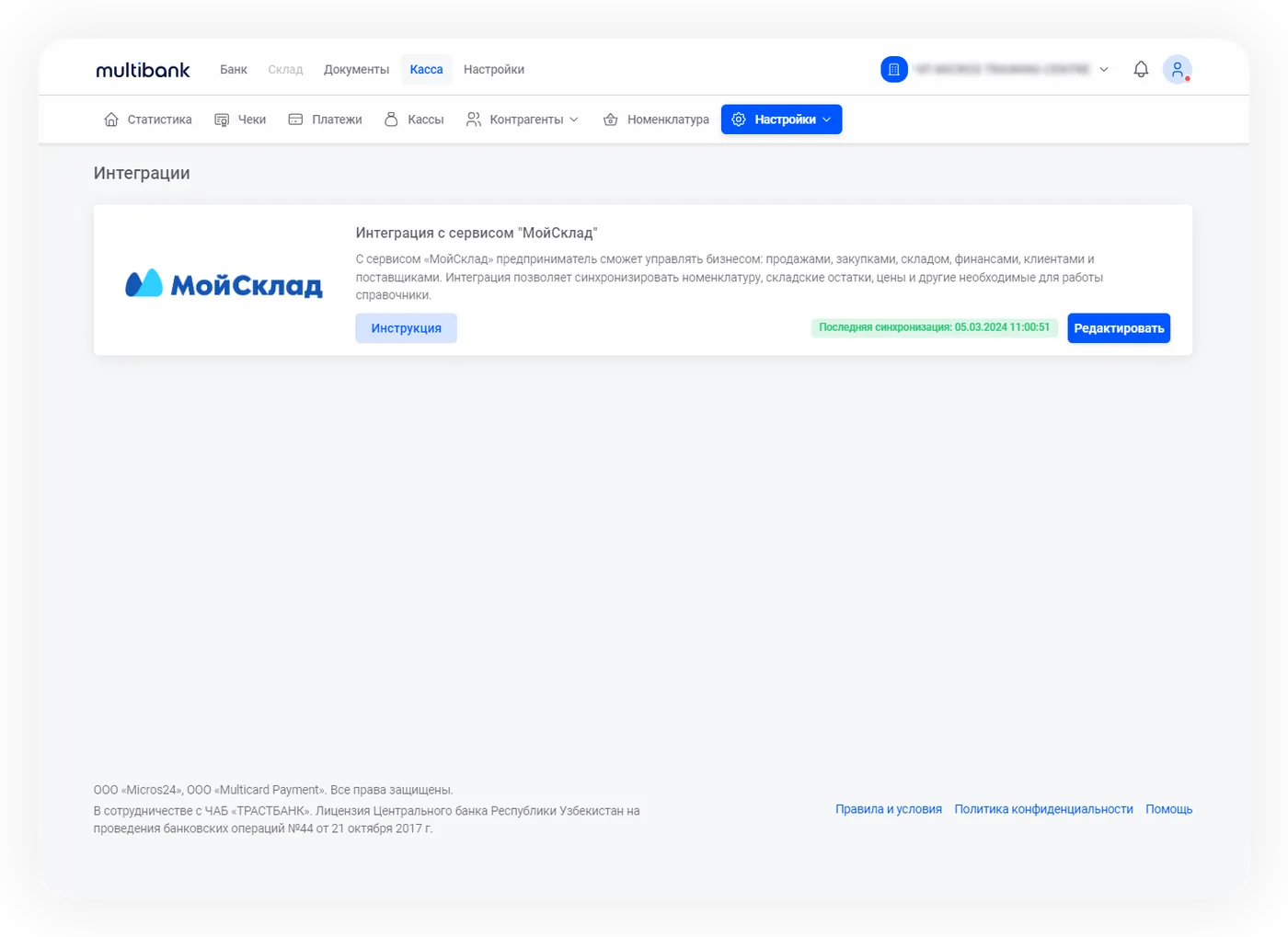
The integration is open to all users of the Virtual register and the Online cash register. Accounts in MoySklad and Multibank are required.
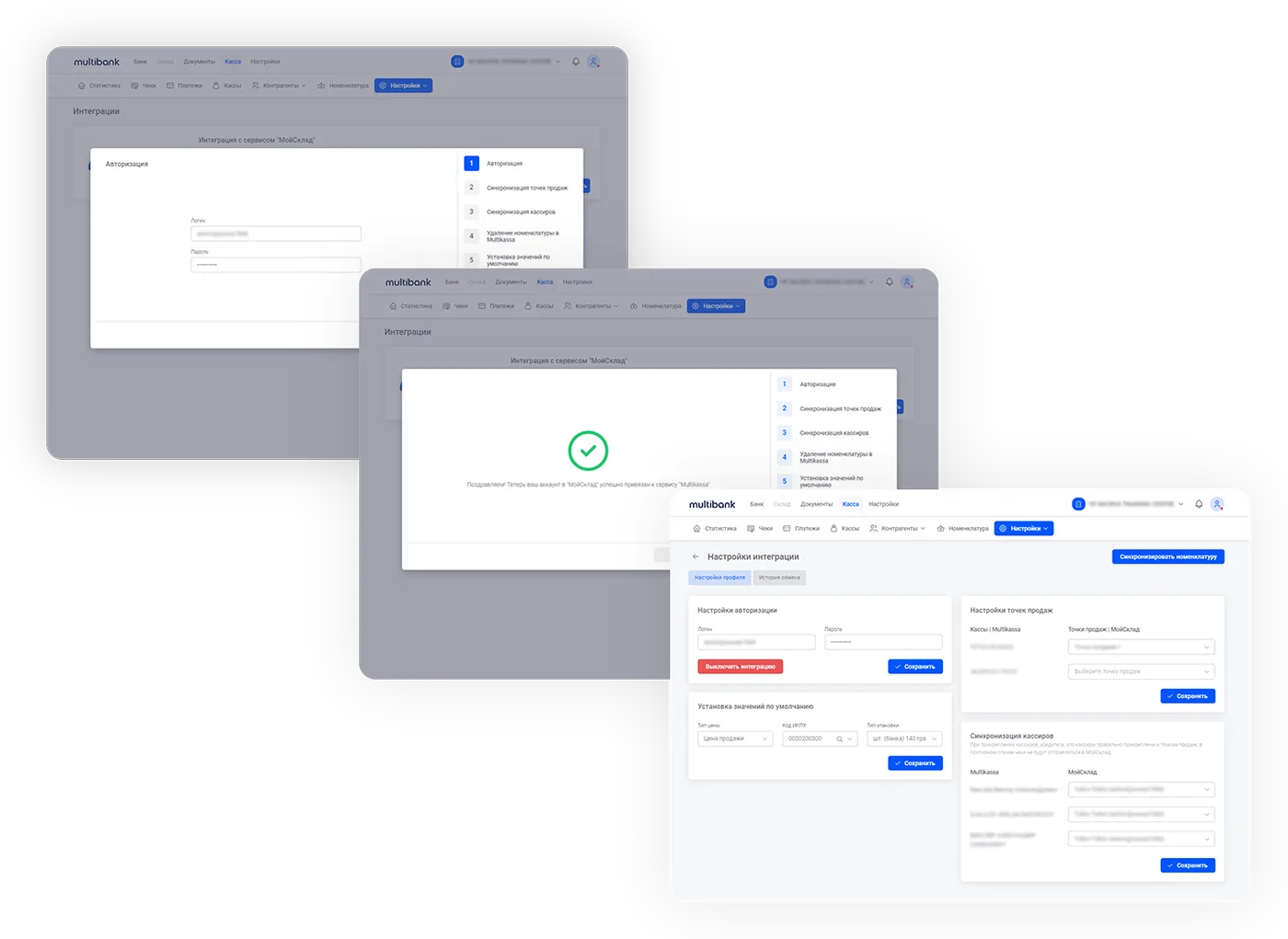
Open the Integrations section and connect MoySklad: sign in, then match the points of sale and cashiers.
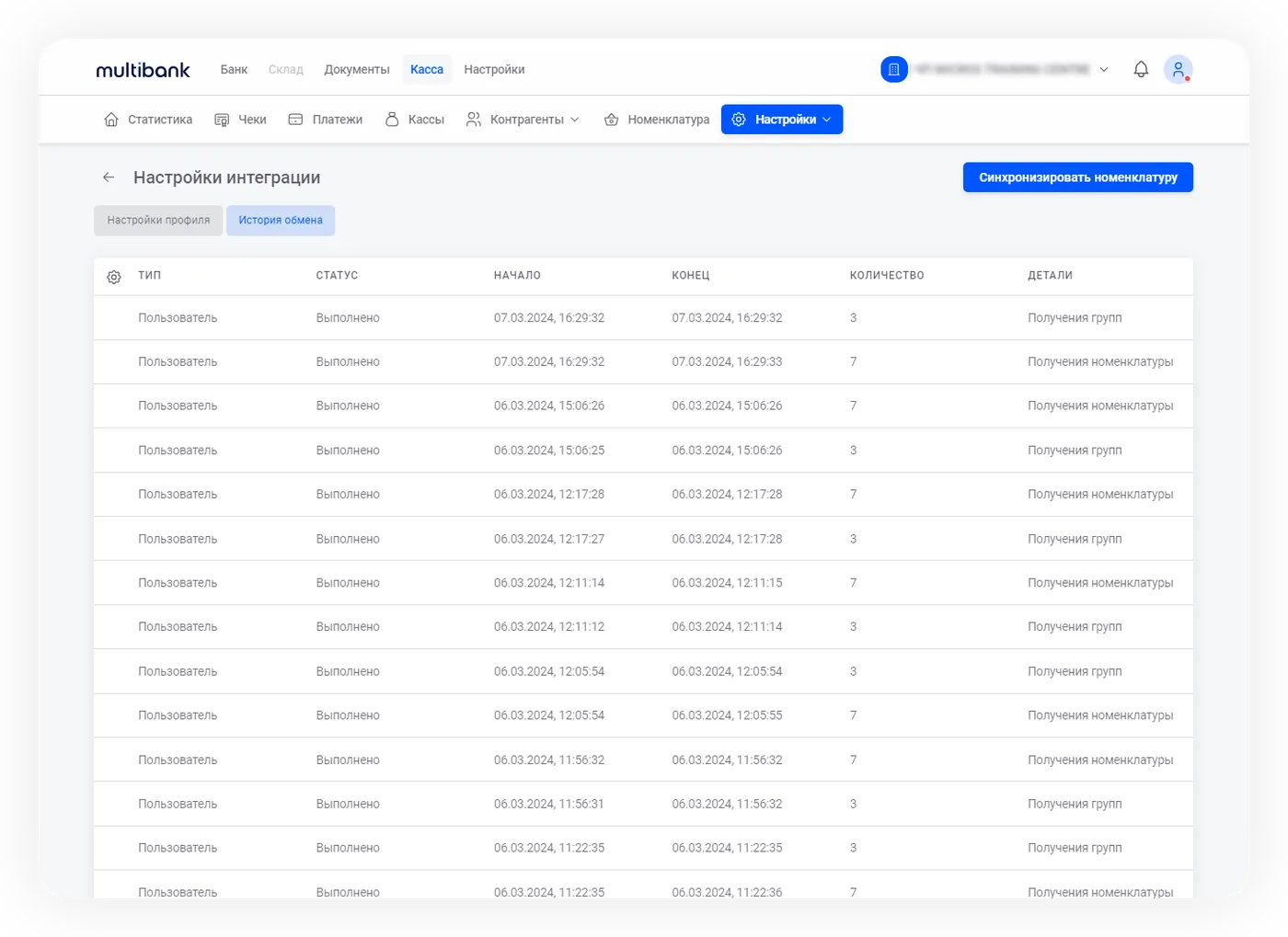
Data updates automatically every 30 minutes. A manual sync is started in the integration module settings. The history logs every exchange.
04 / Exchange management
Start a sync by hand for products, points of sale, registers, cashiers and other objects.
The integration settings show when and what data was synced between the systems.
All integration settings can be changed in the personal account at any time.
Rahmat POS also works with iiko, R_keeper, 1C: Trade Management, SetRetail, Artix and Poster, and with other POS systems via OpenAPI.
05 / Questions and answers
Other questions — on 1865 or in the support chat.
1865 Support chatAll users of the Rahmat POS Virtual register and Online cash register. Accounts in MoySklad and Multibank are required.
Products and services, photos, prices, warehouses, cashiers and points of sale.
Automatically every 30 minutes. A sync can also be started manually in the integration module settings.
All fiscal operations: shift opening and closing, sales receipts and refund receipts.
In the integration settings. A manual sync for products, points of sale, registers, cashiers and other objects can also be started there.
Yes. All settings can be changed in the personal account at any time.
Connecting Rahmat POS
For new clients, Rahmat connects an online cash register or a virtual register on request. After that, the register is linked to MoySklad in the personal account.